
TikTok Story Downloader
Save supported TikTok Stories online by pasting a Story link into TtSave.
TikTok Stories are designed to be temporary, making them useful for sharing everyday moments, quick updates, or short videos that won’t stay on a profile permanently. If you want to keep a Story before it disappears, TTSave provides a simple way to process supported TikTok Story links directly from your browser.
The TikTok Story Downloader is built for people who want to save Story content without installing additional software. Copy the Story URL, paste it into the downloader, and follow the available download options. Whether you’re using Android, iPhone, Windows, macOS, or another device with a web browser, TTSave offers the same straightforward experience.
How to Download a TikTok Story
Saving a TikTok Story only takes a few moments if you already have the Story link. The process is simple and works similarly across most modern browsers.

Step 1: Copy the TikTok Story Link
Open TikTok and locate the Story you want to save. Tap the Share option and copy the Story URL to your clipboard.
Before moving to the next step, make sure the entire link has been copied correctly. If you received the URL through another app or messaging service, it’s a good idea to confirm that the link still points to the intended Story.
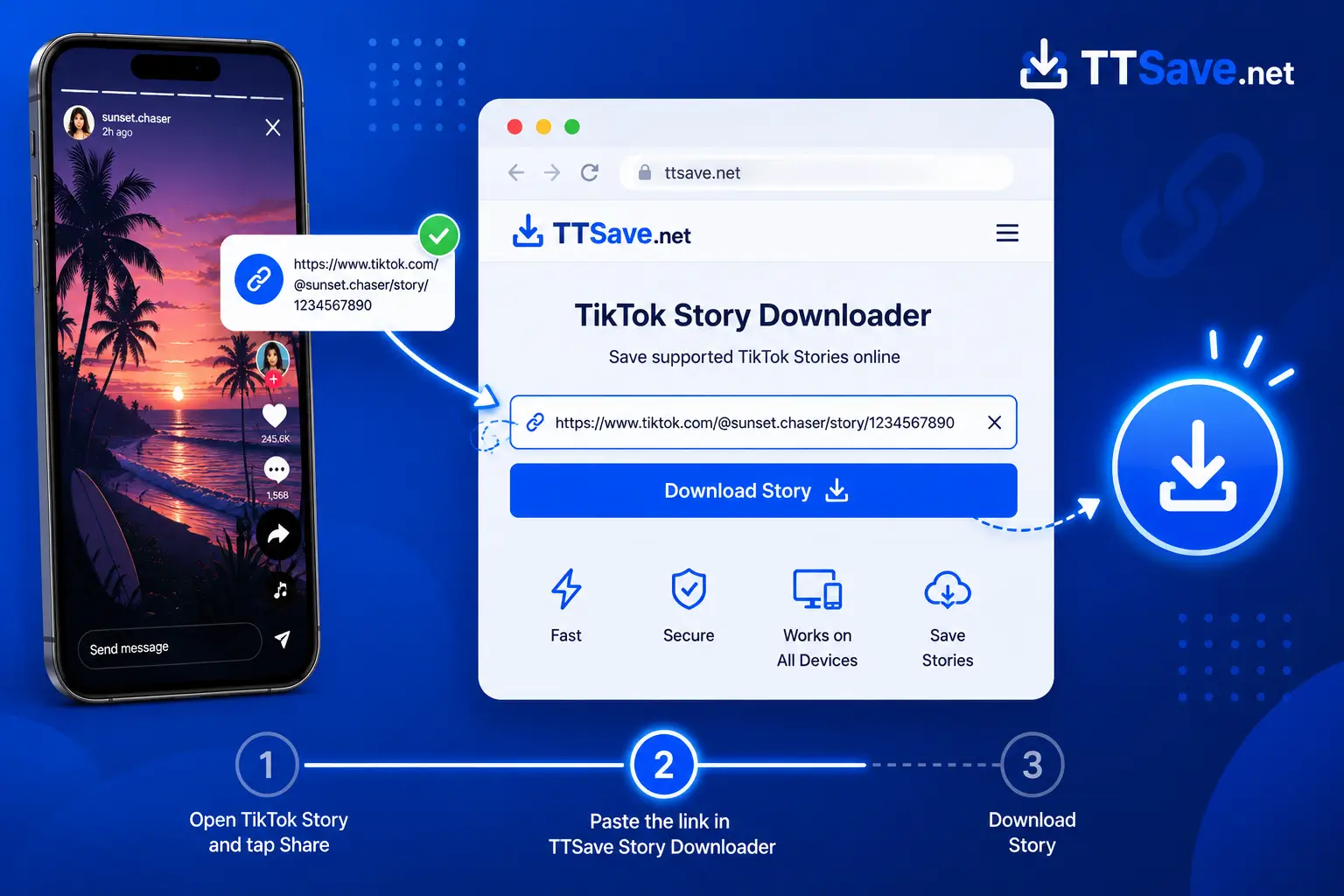
Step 2: Paste the Story URL into TTSave
Open the TTSave TikTok Story Downloader in your browser and paste the copied URL into the input field.
The downloader reads the Story link and prepares the available download option. Since everything is based on the copied URL, you don’t need to search for the Story again inside the tool.
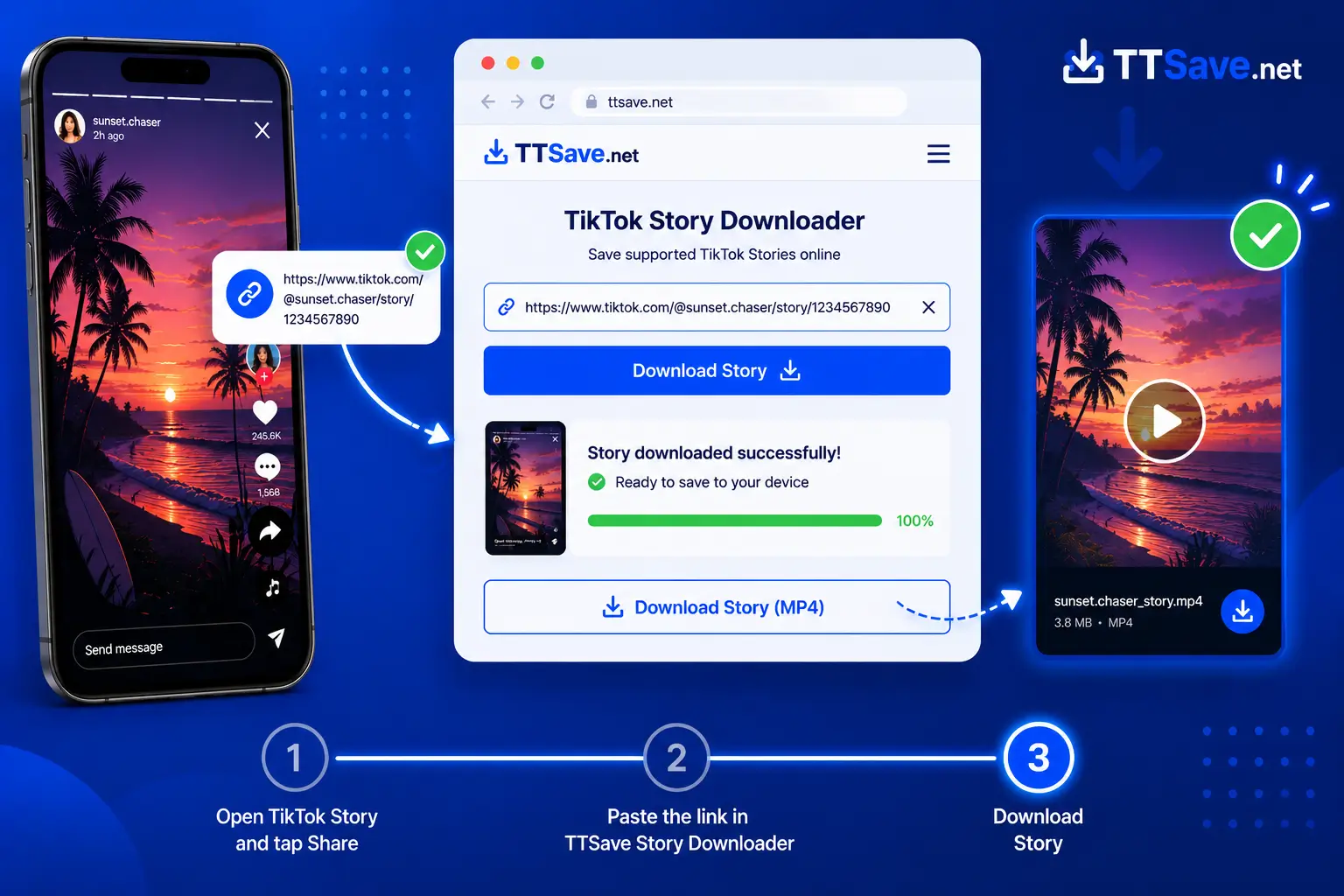
Step 3: Download the Story
After the Story has been processed, choose the available download option and save the file to your device.
Depending on the available content, the downloaded Story may be provided in a commonly supported format that works on most phones, tablets, and computers. Once the download finishes, you can find it in your device’s Downloads folder or media library.
Why Use TTSave to Save TikTok Stories?
Many people want to keep a Story before it disappears, whether it’s an important update, a creative post, or content they plan to reference later. TTSave focuses on making that process simple.
Save Stories Before They Disappear
Unlike regular TikTok posts, Stories are temporary. Downloading supported Story content allows you to keep a personal copy before it is no longer available on the platform.
Browser-Based Convenience
The TikTok Story Downloader works directly in your browser, so there’s no need to install additional software just to process a Story link.
Works Across Multiple Devices
Whether you’re using an Android phone, iPhone, Windows PC, Mac, or tablet, you can access TTSave through a compatible browser and use the same straightforward workflow.
Simple Link-Based Process
You only need the Story URL. Copy the link, paste it into the downloader, and continue with the available download option. The process remains quick without requiring unnecessary steps.
Save TikTok Stories Online from Any Device
The TikTok Story Downloader is designed to work wherever you normally browse the web. Since everything happens online, you can switch between devices without learning a different process each time.
If you use TikTok on your phone, simply copy the Story link from the app and open TTSave in your preferred mobile browser. Users working from a desktop or laptop can follow the same steps by copying the Story URL from TikTok on the web.
Because Stories are temporary by nature, many people choose to save supported Story content before it disappears. This can be useful for personal reference, offline viewing, or keeping a copy of content that may no longer be available later.
It’s also helpful to understand the difference between downloading and viewing. A TikTok Story Downloader is intended for saving supported Story content using a URL, while a TikTok Viewer focuses on browsing or viewing Stories. Keeping these purposes separate makes it easier to choose the right TTSave tool for the task.
TTSave supports a clean, browser-based experience without requiring additional software, helping you access the downloader whenever you need it.
More TikTok Tools from TtSave
TTSave includes several tools designed for different types of TikTok content. If you’re looking for something other than Story downloads, choose the tool that best matches your needs.
TikTok Video Downloader
Need to save an entire TikTok video instead of a Story? The TikTok Video Downloader lets you download supported TikTok videos directly from a shared link.
View
TikTok MP3 Downloader
Want only the audio from a TikTok video? Use the TikTok MP3 Downloader to convert supported TikTok videos into MP3 files for convenient listening.
View
TikTok Slideshow Downloader
Some TikTok posts are published as image slideshows instead of videos. The TikTok Slideshow Downloader is designed specifically for saving supported slideshow posts.
View
TikTok Thumbnail Downloader
Need the cover image from a TikTok video? The TikTok Thumbnail Downloader allows you to save supported thumbnails separately from the video itself.
View
TikTok Profile Picture Downloader
The TikTok Profile Picture Downloader helps you save public TikTok profile photos in their available quality.
View
Frequently Asked Questions
Final Thoughts
If you want to keep a TikTok Story before it disappears, TTSave offers a simple browser-based solution. Copy the Story link, paste it into the TikTok Story Downloader, and continue with the available download option.
Whether you’re using a phone, tablet, or computer, the process remains straightforward and focuses on helping you save supported Story content with minimal effort. Always make sure you have permission to download or reuse content and respect the rights of the original creator.