
TikTok Video Downloader – TTSave
Download public TikTok videos online for free with our fast, browser-based TikTok Video Downloader
TTsave is a free online TikTok downloader that lets you download TikTok videos easily, just by pasting the link, without installing any other app. Just copy the URL of the video you want to save, paste it into the downloader, and click the download option. The tool is available via a modern web browser, and you can download TikTok videos from a convenient online interface on your Android phone, iPhone, tablet, Windows PC or Mac.
The goal is to make saving videos simple. To save a TikTok video for offline viewing, personal organisation or later access, you can use a TikTok Downloader from your browser, without having to sift through complicated settings or download additional software.
How to Download TikTok Videos
You just need to follow few simple steps to download a video with an online TikTok Downloader. The exact buttons may vary a bit depending on your device and browser, but the overall process is straightforward.
.
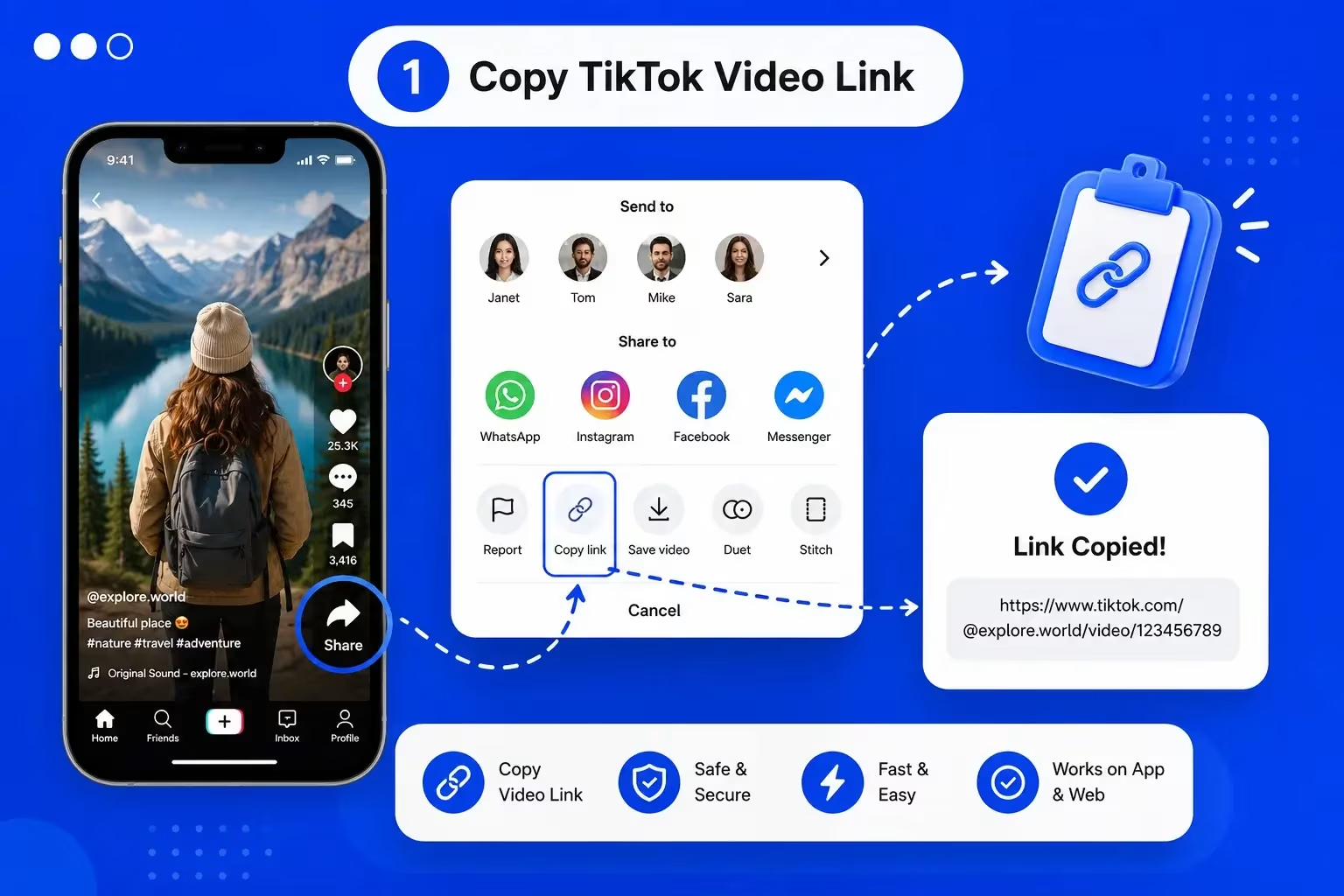
Step 1: Copy the TikTok Video Link
Open TikTok, and find the video you want to save. Share the video from the platform and copy the URL to your clipboard.
This can be done from the TikTok app or from TikTok on the web, usually. Make sure to copy the entire link so the downloader can see what it’s supposed to download.
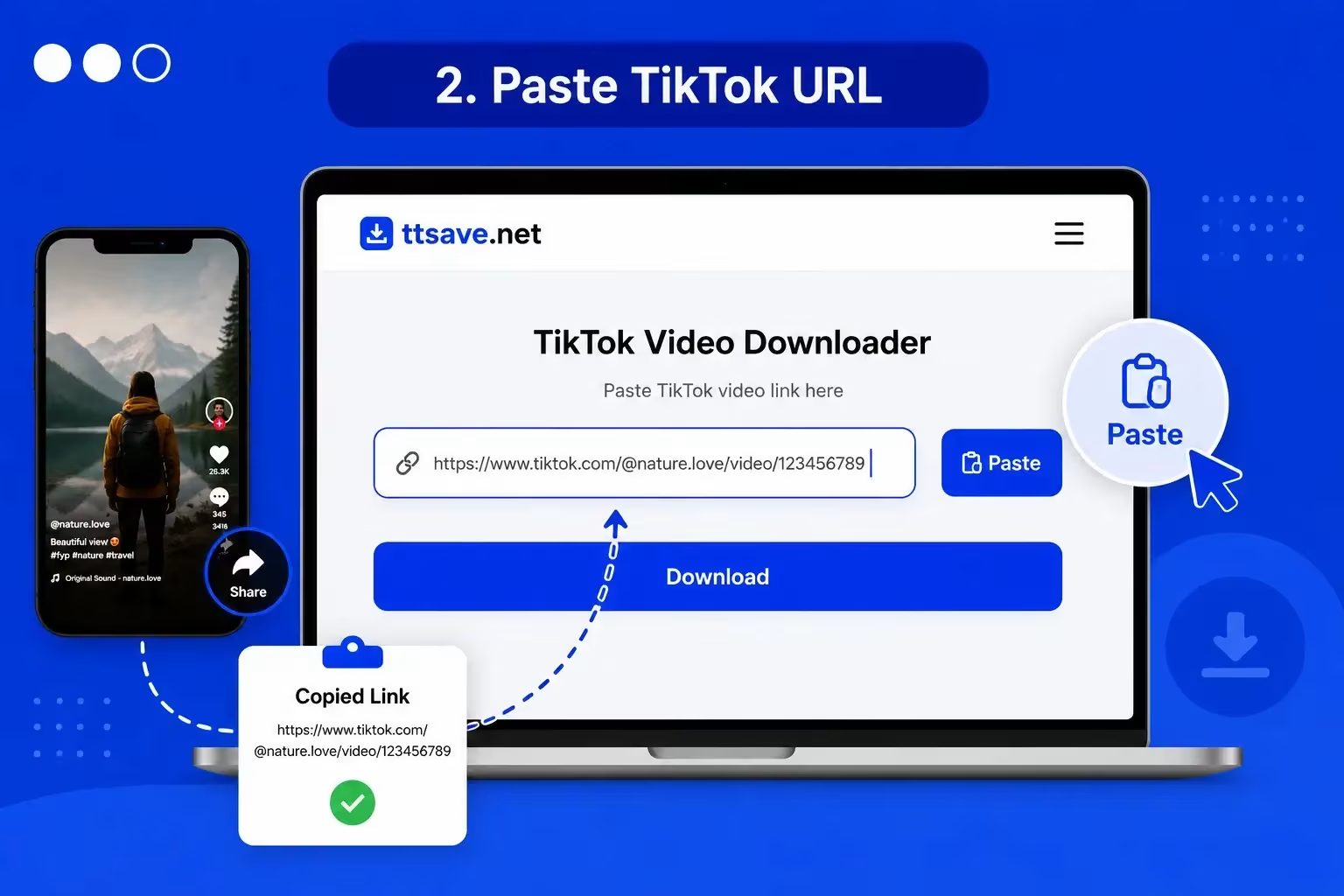
Step 2: Paste the Link into TTSave
Open the TTSave website in your browser. Paste the copied TikTok URL into the input field. A TikTok Downloader takes the link you share and finds the video you want to download.
If you copied the link from another app or messaging service, review the link before proceeding.
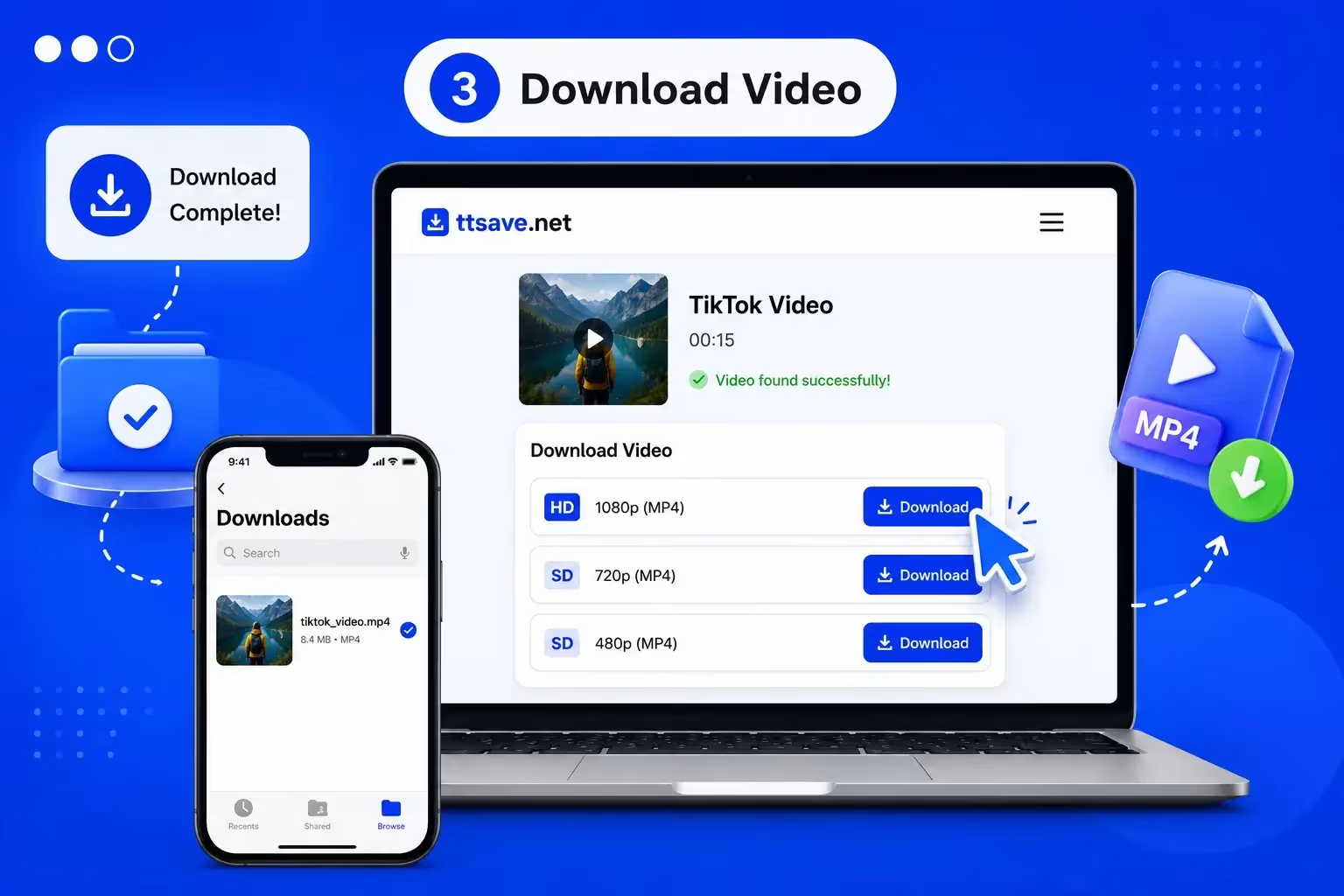
Step 3: Download Your Video
After submitting the URL, wait until the download option is available. Select the right one and download the file to your computer.
Depending on the source and download options, the video may be in a commonly supported format such as MP4. Then you can find the downloaded file in the downloads folder or media library on your device.
Why Use TTSave?
A good TikTok Downloader should simplify things for you and not add extra steps. The big advantage of the browser-based tool is that you can use it whenever you want and don’t have to install a specific downloader app.
Simple Link-Based Process
The process begins with a TikTok URL. Instead of opening several menus, you can simply copy the link, paste it into the tool, and proceed with the provided download option.
Download Videos Online
You can use the TikTok Downloader directly from your browser, so you don’t need to install any additional software. This is good if you only need to save a video occasionally, or if you prefer to use an online tool.
Use It Without a Dedicated App
A browser-based downloader can be convenient for users who do not want another application taking up storage space. This also makes the service easier to access from different devices.
Save Videos for Personal Use
People may want to save TikTok videos for offline viewing, personal collections, reference, or later revisiting. A downloader provides a practical way to maintain access to publicly available content.
Support for Common Devices
You can use a web-based TikTok Downloader from smartphones, tablets, laptops and desktop computers. Your experience may vary based on the browser and device you’re using, but the basic flow is the same. basic workflow remains similar.
Straightforward User Experience
The most useful downloader tools keep the process clear. There should be no extraneous instructions or complex settings showing you where to put a TikTok link and what to do next.
Download TikTok Videos on Any Device
The flexibility is one of the great advantages of an online TikTok Downloader. You do not have to be tied to a single operating system or device type.
Android and iPhone
On a smartphone, you can open TikTok, copy the video link, and then switch to your mobile browser to use the downloader. This makes it practical for users who want to save videos directly to their phone.
Depending on your device, the downloaded file may appear in your browser’s downloads area or in another location selected by the operating system.
PC and Desktop
If you are working on a Windows computer or Mac, the same basic process applies. Copy the TikTok link and open the downloader on your browser. Paste the link and go with the available download option.
Downloading to a desktop is also useful if you want to organise saved videos into folders or manipulate files with greater ease.
Browser Access
Being web-based, you can use a TikTok Downloader without the need for a specific mobile application. Generally you just need a modern browser to access the service.
For the best experience please ensure you are on a current version of your browser with a fast internet connection.
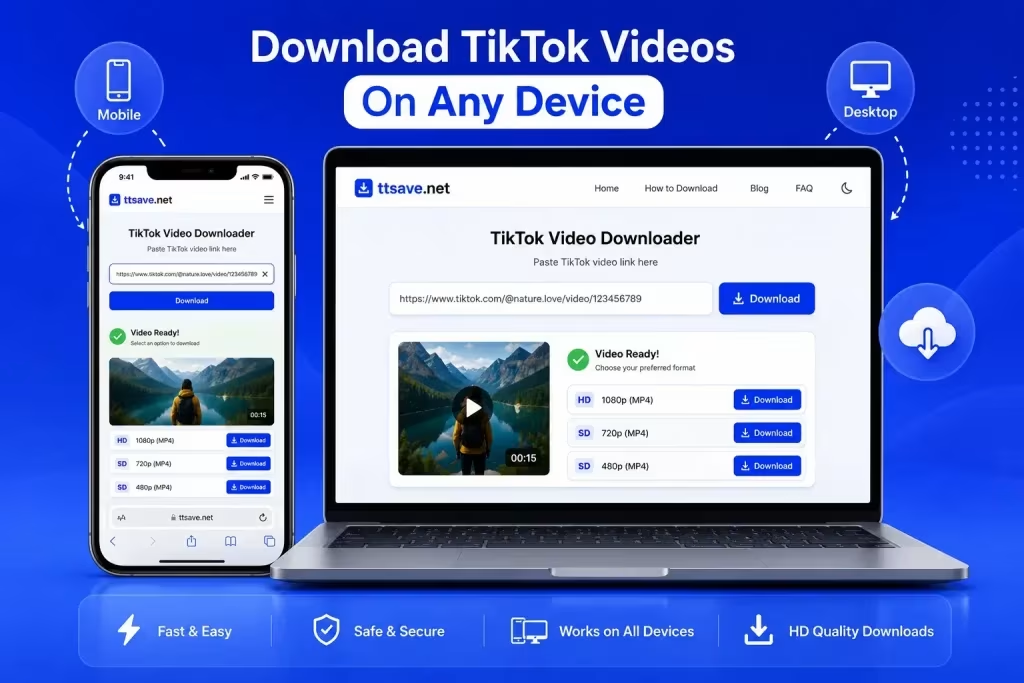
Save TikTok Videos Without an App
Not everyone will want to install yet another app just to save a video. Online TikTok Downloader is a browser-based option that can be used anytime you want.
The process is simple. Open your browser, visit the downloader, paste your TikTok link and choose the download option available. This method can be especially handy on devices with limited storage space or where installing additional apps is not feasible.
And, by using an online tool, you can access the service from more than one device. For example, you can watch TikTok on your phone and use the same workflow on your desktop computer when you need to deal with downloaded files.
The biggest plus is convenience. Rather than requiring a permanent app install as part of your workflow, the tool can be used through a browser.
TikTok Video Downloads in HD and MP4
Video quality and file format are critical when saving online content. Many users prefer HD video because it allows them a clearer viewing experience. But MP4 still remains a widely supported format on phones, computers, tablets and media players.
The format and quality options when using a TikTok Downloader depend on the source video and what download options the service allows. If you have a choice, pick the one that works best on your device and what you want to do with it.
Better-quality files take longer to download and take up more space. If you just want to casually view it offline, a smaller file will probably suffice. If you intend to keep the video for a long time, you should probably download it in the highest quality the downloader can offer.
The trick is choosing the appropriate download option for you, rather than grabbing the biggest file.
Can You Download TikTok Videos Without a Watermark?
Watermark-related searches are common among those looking for a TikTok Downloader; however results depend on the source content and download options.
TTSave aims to provide a simple experience for saving videos, and supported download options may allow users to obtain a version without an additional watermark. However, it may not be possible to remove a watermark already present in the original video.
Furthermore, it is also important to bear in mind that removing a watermark does not change the ownership of the content. The video, music, pictures and other material may still be owned by the creator or copyright holder.
If you download a video and want to reuse it, think about whether you have the right to publish, edit, redistribute or use commercially. Saving content for your own use is not equivalent to reproducing someone else’s work.
Explore More TikTok Tools
TTSave offers more than just a TikTok Video Downloader. Explore our additional tools to get even more from TikTok.
TikTok MP3 Downloader
Want the audio rather than the full video? The TikTok MP3 Downloader is designed for users looking to extract or save audio from supported TikTok content.
View
TikTok Story Downloader
For users interested in saving temporary TikTok Story content, the TikTok Story Downloader provides a more specific solution for that type of content.
View
TikTok Slideshow Downloader
If the content you want to save is a slideshow rather than a video, use the TikTok Slideshow Downloader to focus on photo-based content.
View
TikTok Thumbnail Downloader
Download high-quality TikTok thumbnails from any public TikTok video. Save the cover image to your device in just a few clicks.
View
TikTok Profile Picture Downloader
Need to view or save a TikTok profile image? The TikTok Profile Picture Downloader is intended specifically for profile picture downloads.
View
Frequently Asked Questions
Conclusion
Saving a TikTok video does not require a complicated process. For a browser-based TikTok Downloader, all you need is a link to start, paste it in the tool and move on to the download option available.
Whether you are on a phone, tablet or computer the core workflow will remain simple. Select the right tool for your requirements, use content judiciously, and adhere to copyright and creator rights when downloading or sharing material.
Ready to Download?
Paste your TikTok video link into the download box above and start downloading public TikTok videos with TTSave today.