
TikTok Photo & Slideshow Downloader
Save TikTok photo posts and slideshow images online in just a few simple steps.
TikTok is no longer just a platform for short videos. Many creators now share travel collections, tutorials, product showcases, recipes, artwork, and everyday moments through photo posts and slideshows. These image-based posts often include several pictures within a single publication, making them popular for storytelling and visual content.
The TikTok Photo Downloader on TTSave helps you save publicly available TikTok photos and slideshow posts directly from your browser. Simply copy the post link, paste it into the tool, and download the available images without installing additional software. Whether you’re saving a single picture or an entire carousel, the process stays quick and easy across different devices.
How to Use TikTok Photo & Slideshow Downloader
Saving TikTok photos only takes a few moments.

Step 1: Copy the TikTok Photo Link
Open the TikTok photo post or slideshow, then copy its shared URL.
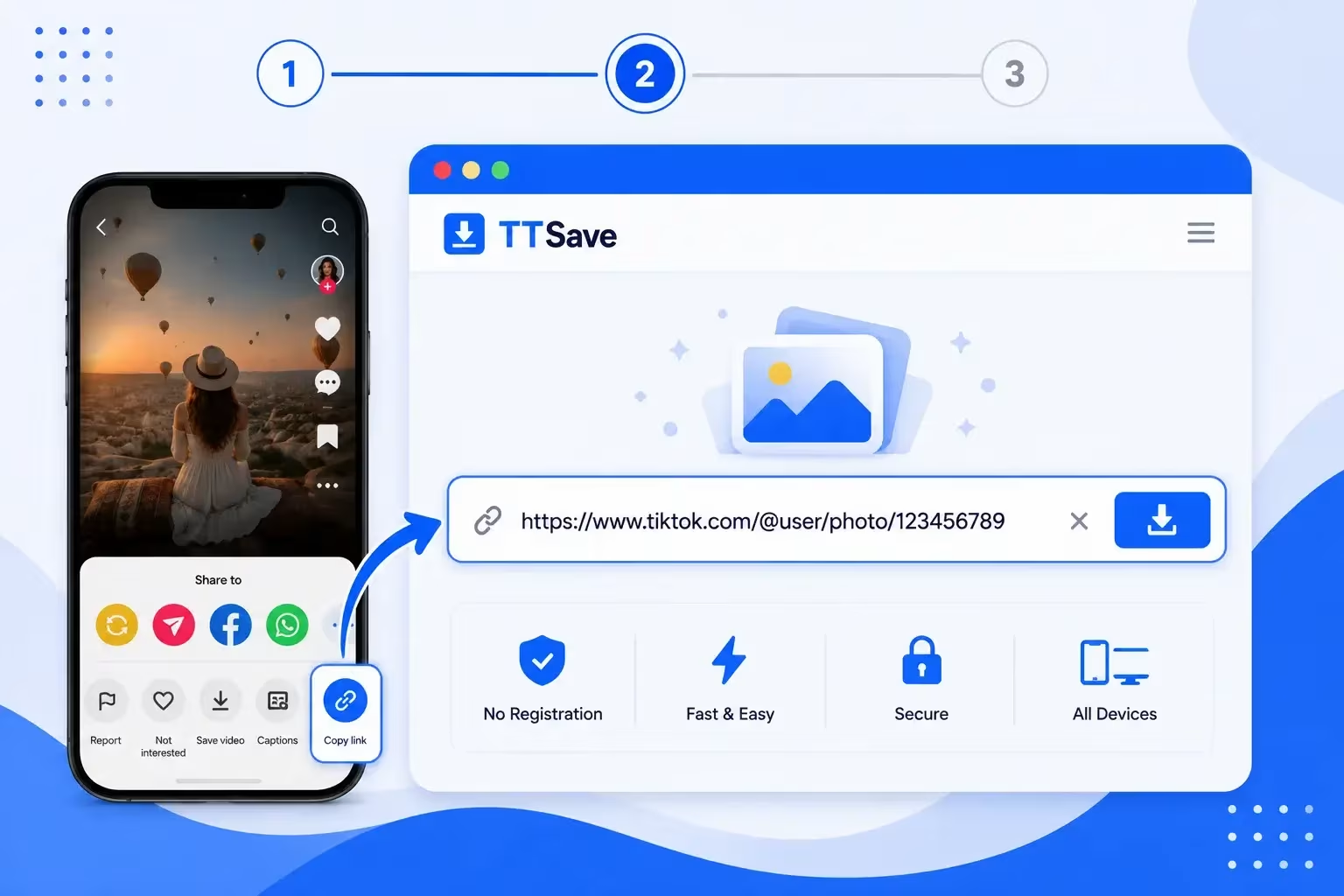
Step 2: Paste the Link into TTSave
Open the TTSave Photo Downloader and paste the copied link into the input box.
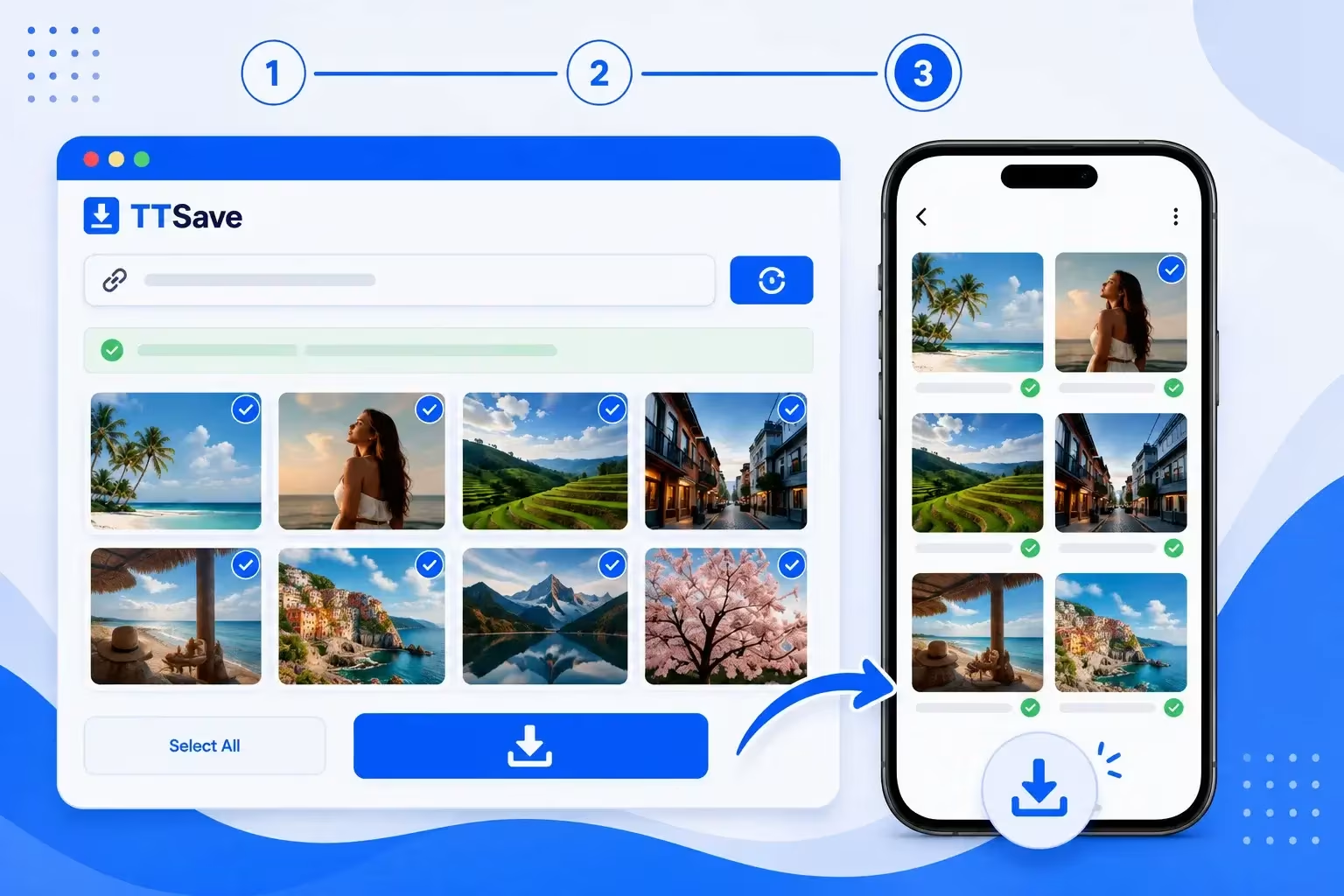
Step 3: Download Available Photos
The tool processes the post and lets you save the available images from the slideshow.
Why Use TTSave for TikTok Photos?
A dedicated audio tool is useful when you want the sound from a TikTok video rather than the complete video itself. Instead of keeping a video file with visuals you may not need, you can focus on the music, sound, voice, or other audio contained in the original content.
Download Individual Photos
If a TikTok post contains a single image, you can save it directly after processing the shared link. The workflow stays simple and requires only a few clicks.
Save Complete Slideshows
Many creators publish multiple photos within one post. Instead of handling every picture separately, you can download the available slideshow images from the same shared URL.
No App Installation Required
Everything runs inside your browser. There’s nothing to install before saving publicly available TikTok photo posts, whether you’re using a mobile device or a computer.
Works Across Different Devices
The TTSave Photo Downloader works through your browser, making it easy to save TikTok photo posts on Android phones, iPhones, tablets, Windows PCs, and Mac computers. The steps remain the same regardless of which device you use.
Simple Browser-Based Tool
There’s no need to install extra software or browser extensions. Simply copy the TikTok photo post link, paste it into TTSave, and let the tool prepare the available images for download in a clean, easy-to-use interface.
Quick Access to Public Image Posts
Instead of searching for the same TikTok post again, simply use its shared URL. The downloader processes publicly available photo posts and slideshows, allowing you to save the available images in just a few simple steps.
Download TikTok Photos and Slideshows in One Place
Photo posts have become one of TikTok’s most popular content formats. Instead of a single video, creators can upload several images that users swipe through one after another. These posts are commonly used for travel albums, fashion collections, recipes, educational guides, before-and-after comparisons, and many other visual stories.
Rather than saving each image manually, the TikTok Photo Downloader provides a simpler way to collect the available photos from a public post. Once the TikTok URL is submitted, the tool prepares the available images for download in just a few moments.
The downloader supports both single-image posts and multi-photo slideshows. If a creator has published a carousel containing several pictures, you can save the available images without repeatedly opening the same post.
Everything works through your browser, so there is no need to install extra applications or browser extensions. Whether you’re using a phone, tablet, laptop, or desktop computer, the overall process remains the same—copy the link, paste it into TTSave, and save the available photos.
As with the other tools on TTSave, the Photo Downloader only works with content that is publicly available. Private posts and restricted content remain protected by TikTok’s own privacy settings.
Explore More TikTok Downloader Tools
TTSave includes additional tools designed for different types of TikTok content. If you’re looking for something beyond photo posts, these tools may also be useful.
Frequently Asked Questions
Final Thoughts
Whether you’re collecting inspiration, saving educational slides, or keeping a favorite photo post for offline viewing, TTSave offers a simple way to download publicly available TikTok photos and slideshow posts. Copy the post link, paste it into the TikTok Photo & Slideshow Downloader, and save the available images in just a few steps.